
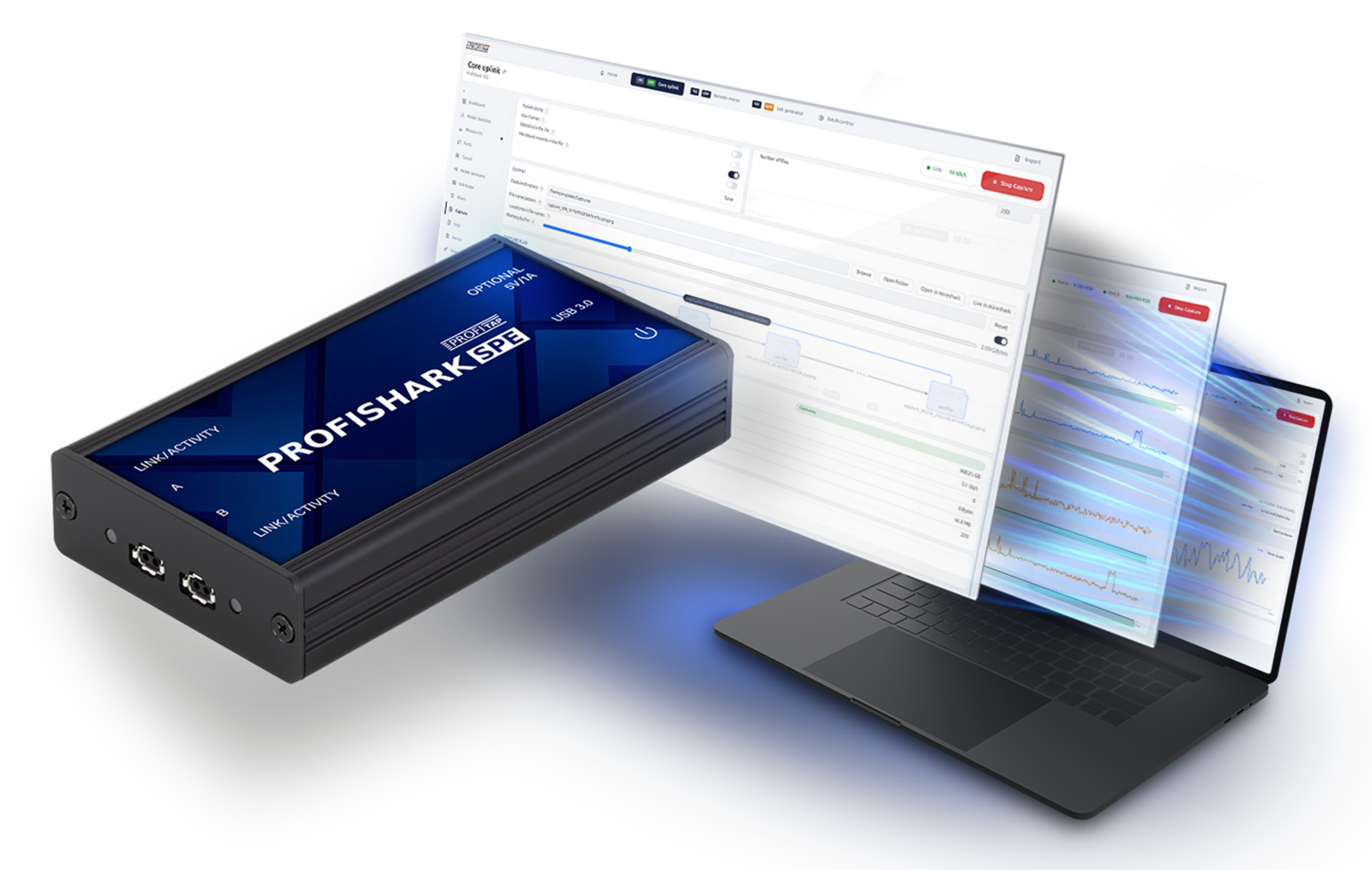
Field capture and analysis for SPE
Get packet-level and link-level visibility directly on 10BASE-T1L Single-Pair Ethernet connections. ProfiShark SPE helps OT and automation engineers capture network communications, inspect SPE link conditions, and validate installations with a single portable workflow.
Two SPE ports support in-line monitoring and SPAN/aggregation operation. Use ProfiShark Manager to configure the link and collect hardware-timestamped captures for analysis in Wireshark.
Key benefits
- Capture 10BASE-T1L traffic for analysis in Wireshark or other packet analyzers
- Troubleshoot field-level communication issues on Single-Pair Ethernet links
- Support commissioning, validation, migration, and root-cause analysis workflows
- Bring the ProfiShark portable capture experience to SPE-based OT environments
Troubleshoot SPE from the link itself
10BASE-T1L brings Ethernet communication closer to sensors, actuators, process instruments, and other field devices. When a connection becomes intermittent or difficult to commission, the useful evidence may be on the field link itself.
A conventional laptop NIC cannot connect directly to the 10BASE-T1L physical layer. Switch mirror ports and endpoint counters can help, but show the traffic and symptoms available at those observation points. Media conversion adds another element to the troubleshooting setup.
ProfiShark SPE lets engineers investigate the actual SPE connection and consider packet behavior alongside link condition and configuration. That evidence helps teams decide whether to investigate communication, port settings, or the cable next.
ProfiShark SPE helps you
Capture accurately
Record both directions with hardware timestamps and per-port capture information. Save the trace as pcapng so an intermittent event can be reviewed after the engineer leaves the site.
Diagnose the link
Monitor signal quality, resolved master/slave role, and cable fault information. Consider these readings alongside traffic to narrow down configuration, connection, and communication issues.
Validate the connection
Check the role and transmit-level settings specific to 10BASE-T1L, then use the packet generator in a test setup to verify traffic transmission and reception.
Report the findings
Collect evidence and create reports where the device connects and share them with colleagues, automation vendors, and support teams.
Capture 10BASE-T1L traffic with confidence
ProfiShark SPE captures traffic in both directions and timestamps it in hardware. Save the result in PCAPNG format for detailed packet analysis in Wireshark or any other analyzer that accepts PCAPNG.
ProfiShark adds per-port traffic and drop information to the trace. Engineers can check what the device received and whether packets were dropped during capture directly from the trace, helping them assess the evidence before drawing conclusions from a missing packet.
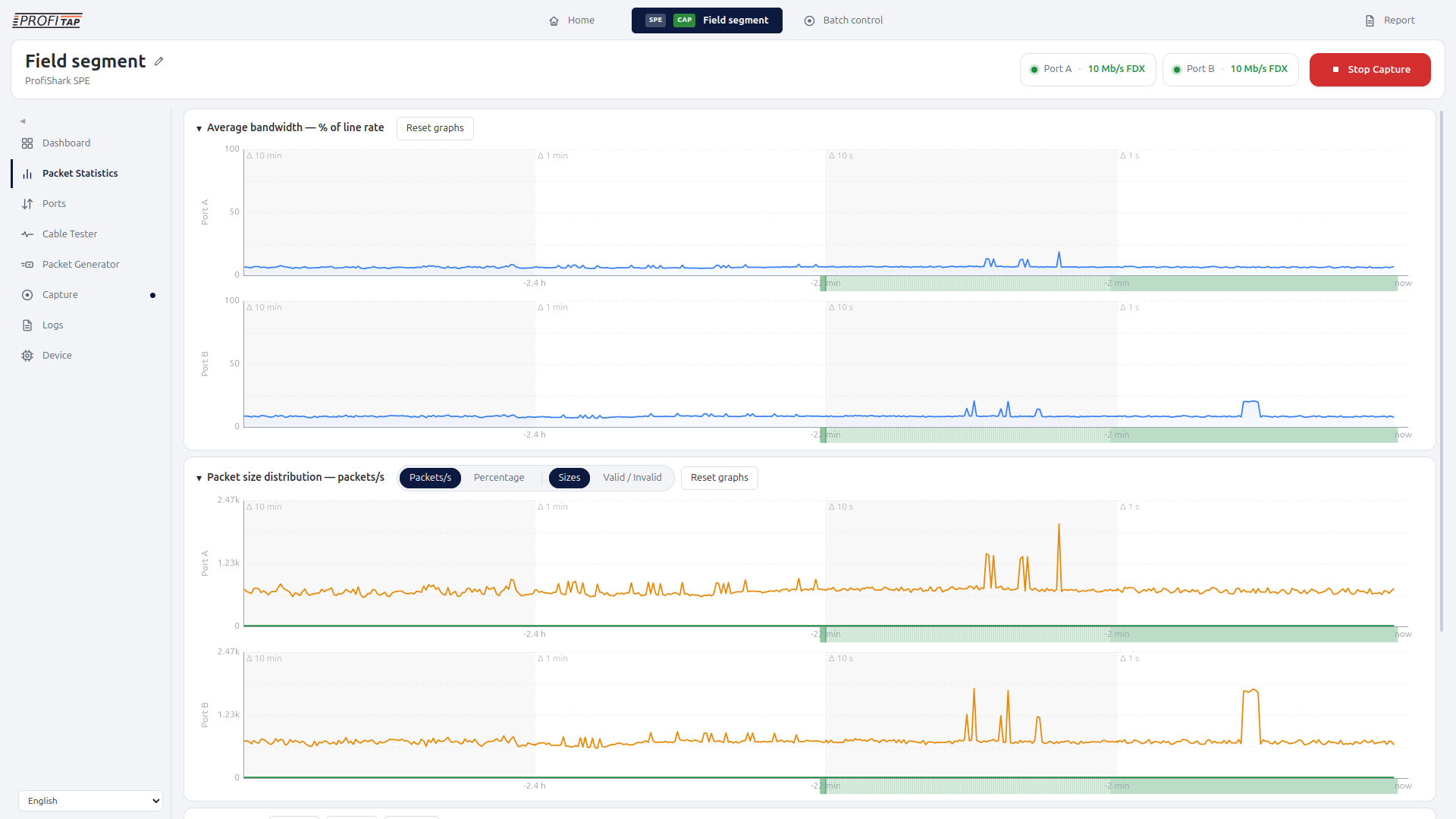
ProfiShark Manager also shows traffic rates, frame-size information, and the status of received packets. This way, engineers can see both the packets and the conditions under which those packets were captured.
A reliable packet trace supports troubleshooting and investigation: compare startup sequences, inspect an intermittent event, document a test, or give a supplier the packets needed to investigate a reported fault.
Understand Single-Pair Ethernet link health
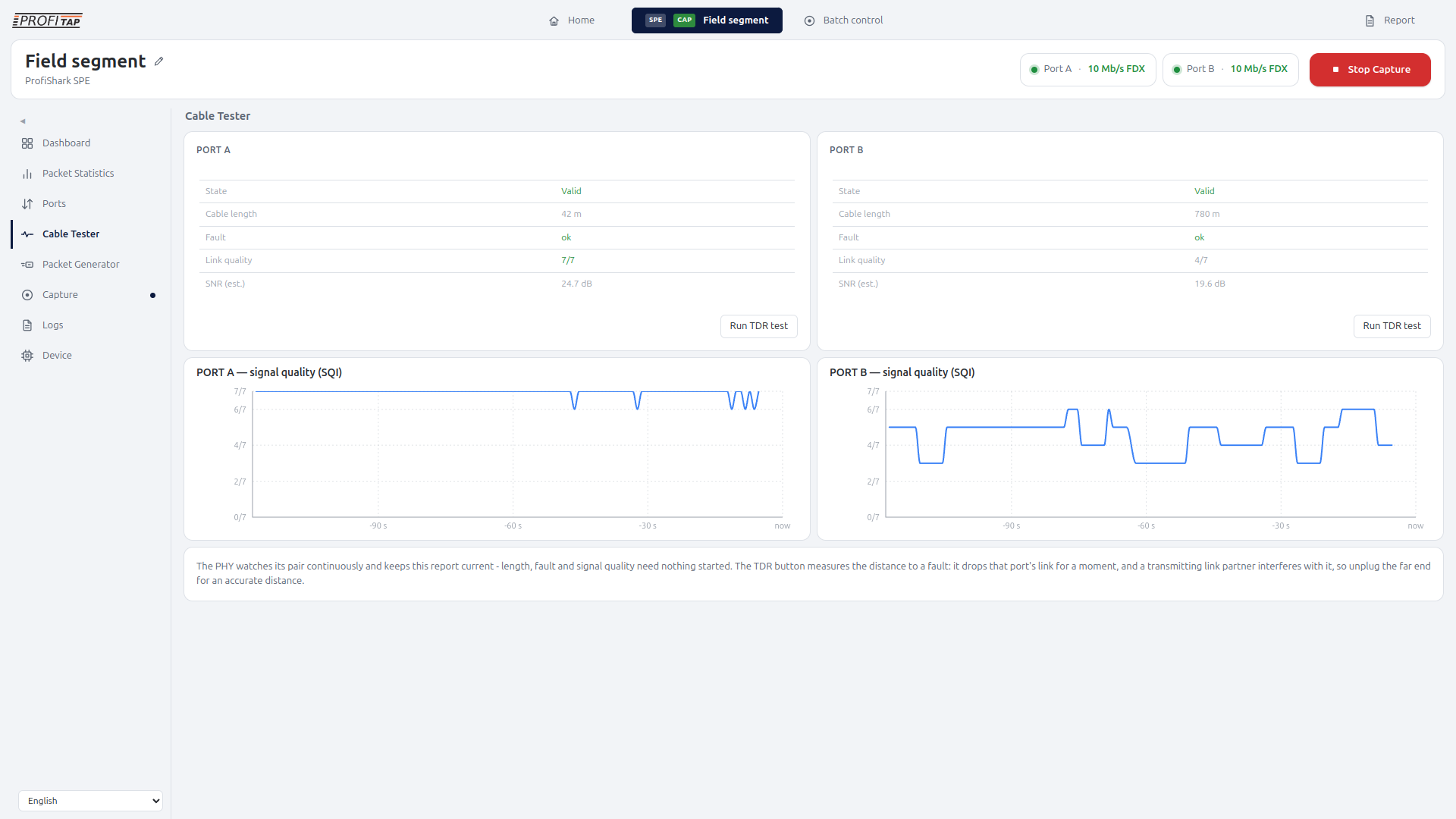
A link-up indication gives only part of the picture. ProfiShark SPE continuously monitors the pair and exposes signal quality, link status, resolved master/slave role, and open- or short-circuit fault information.
The Cable Tester view in ProfiShark Manager shows per-port signal quality, estimated SNR, and cable or fault distance information, where applicable. Signal-quality history helps engineers see changes over time and compare them with intermittent communication symptoms.
This information, provided by ProfiShark, helps investigate deteriorating connections, check whether issues have been resolved, or determine whether a cable fault requires attention.
Continuous observation gives the engineer more to work with than a single link-up or link-down result.
Validate the link with packet generation
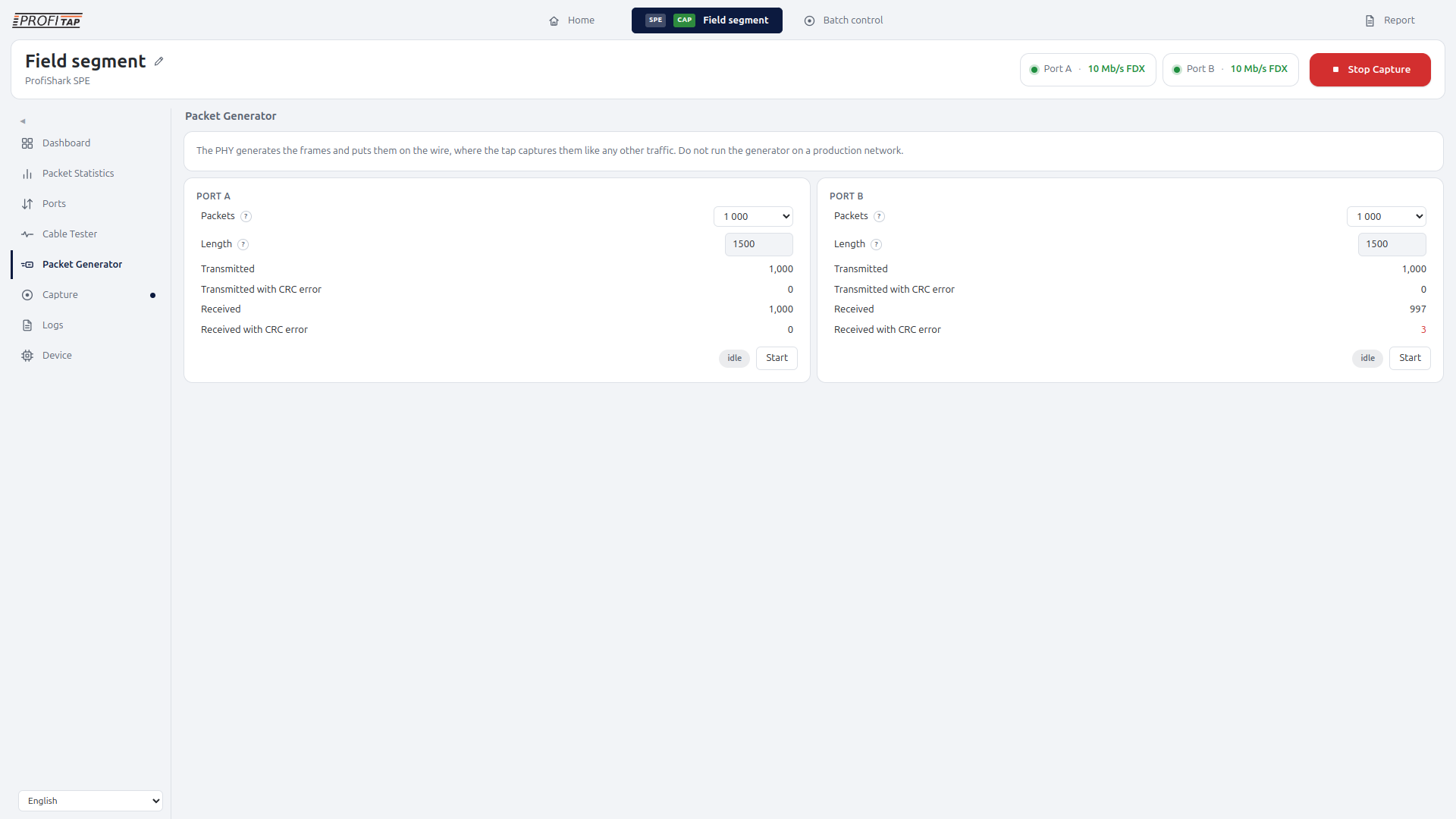
The ProfiShark SPE packet generator feature provides link testing before operational traffic, depending on the connection. Used during installation, bench testing, or device integration to verify transmission and reception under a controlled test setup.
It is possible to set packet count, continuous transmission, and packet length for each port. ProfiShark Manager reports on transmitted and received packets, including CRC error readouts, so engineers can quickly check the test results.
Fail-safe access for live networks
In-line operation uses active bypass and fast failover, with PoDL passthrough, ensuring the network links stay up if ProfiShark SPE were to be unpowered.
One workflow in ProfiShark Manager
Configure the SPE link, observe its state, capture its traffic, and investigate the results in a single workflow. ProfiShark Manager brings the hardware controls and measurements together, so engineers can move between port settings, cable diagnostics, capture, and statistics as an investigation develops.
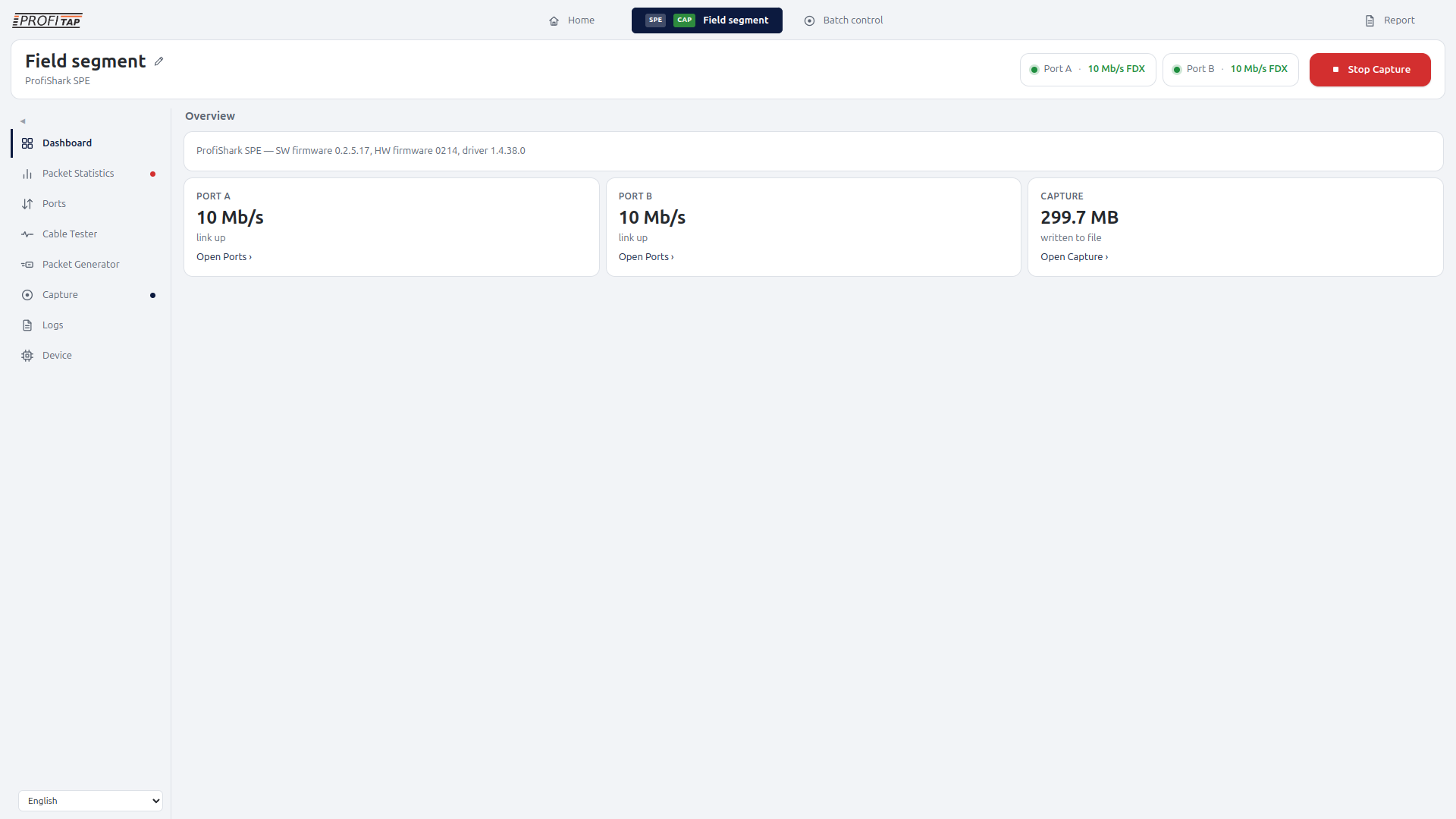
Overview Dashboard
Link state, traffic, capture status, and device health at a glance.
Packet Statistics
Detailed recent measurements and longer history in the same view.
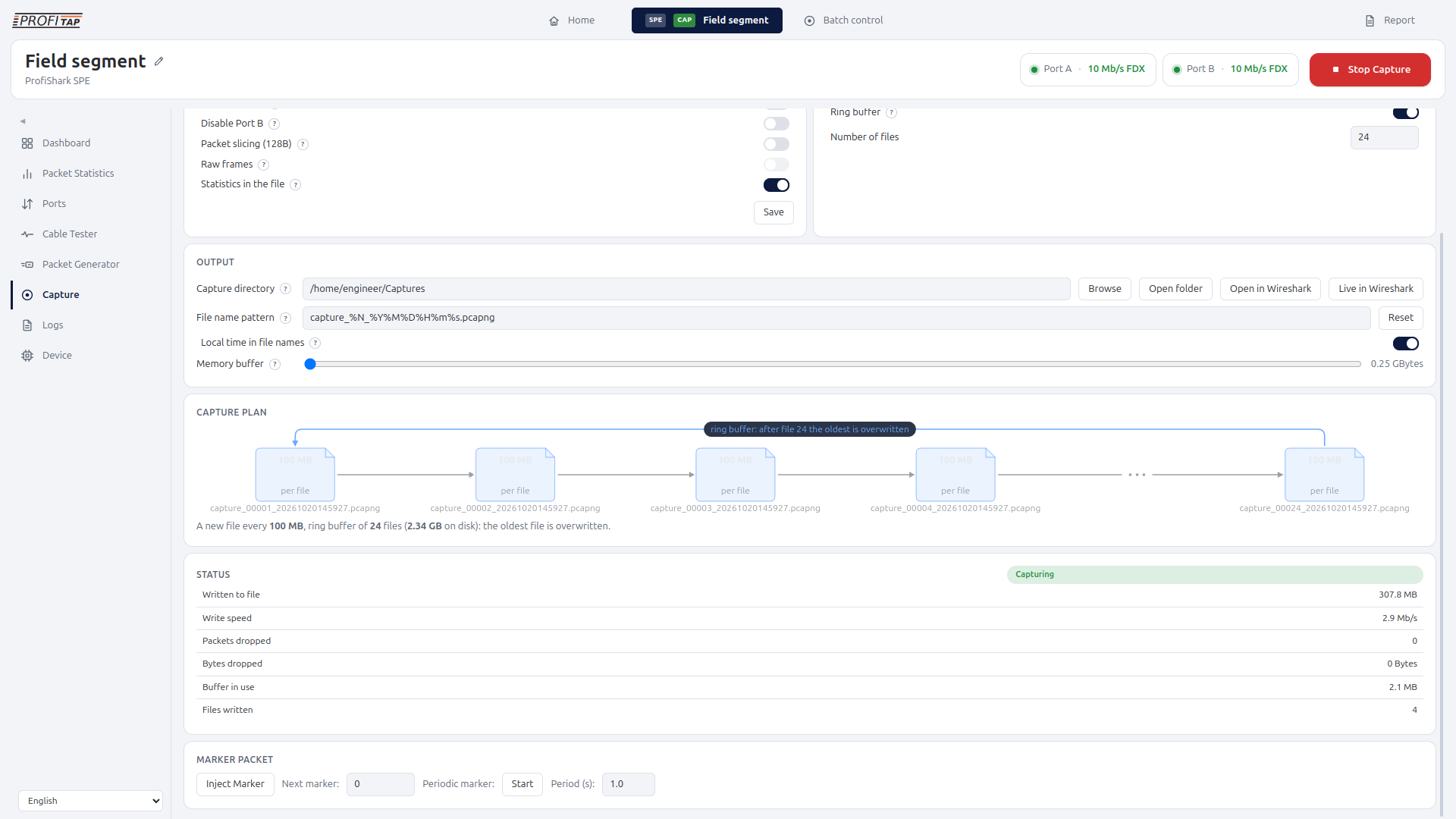
Capture
Build and visualize the capture plan before starting, including file size, duration, rotation, and retention behavior.
Cable Tester
Link state, cable length, fault, link quality, SNR, signal quality.
Packet Generator
Configure packet generation for controlled link validation.
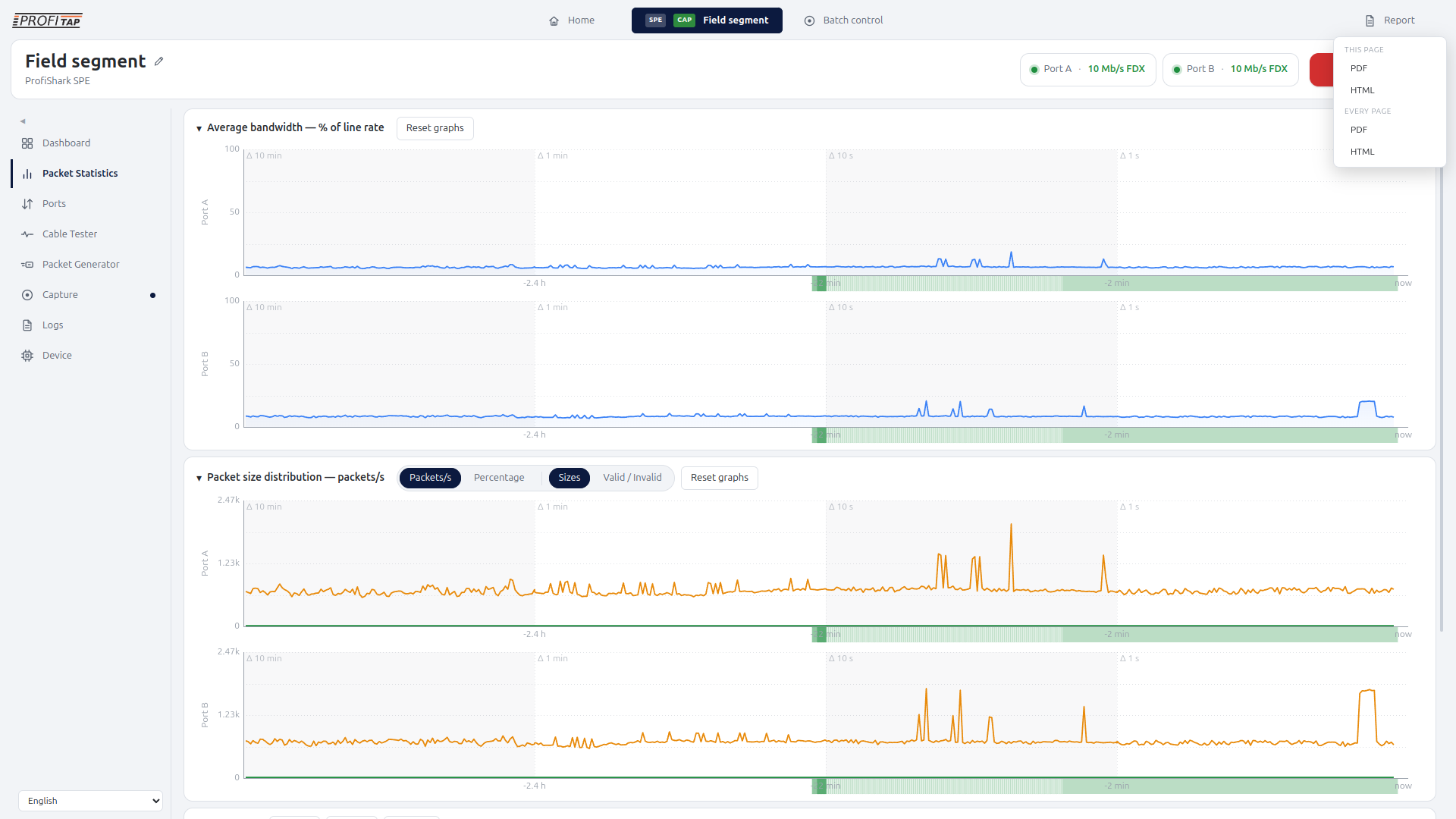
Reporting
Create a PDF or web report from an individual diagnostic page or from the complete investigation. Measurements, tables, and charts are rebuilt into a consistent report rather than captured as screenshots.
Typical applications
New 10BASE-T1L commissioning
Check role and transmit-level configuration, inspect cable condition, and capture a startup baseline before the installation enters normal operation.
Field-device integration
Observe communication between a controller and a newly integrated instrument to establish what each endpoint actually sends and receives.
Intermittent communication troubleshooting
Review packet evidence alongside signal-quality history and link changes to narrow down faults that appear and disappear.
Cable and fault investigation
Check open/short indications and use a planned TDR measurement to help locate a fault on the cable run.
SPE retrofit and migration projects
Document communication and link behavior as field connections are moved to 10BASE-T1L, and compare results across commissioning stages.
Device validation and field service
Test link communication and create shareable capture evidence for interoperability investigations, maintenance records, or supplier escalation.
Specifications
| Network technology | 10BASE-T1L Single-Pair Ethernet, 10 Mb/s |
|---|---|
| Network ports | 2 × SPE ports |
| Physical SPE connector | IP20 Socket |
| Monitoring modes | In-line and SPAN/aggregation |
| Capture directions | Both directions |
| Capture format | pcapng |
| Timestamping | Hardware timestamps |
| Packet slicing | Fixed 128-byte slicing when enabled |
| Per-port monitoring | Traffic statistics and capture/drop information; valid/invalid received packets |
| Continuous SPE diagnostics | Link status, signal quality, resolved role, and open/short fault information |
| Diagnostic readings | SQI 0–7; estimated SNR in dB; cable length or distance to fault, where applicable |
| Fault-location test | On-demand TDR |
| Role configuration | Auto – prefer slave; Auto – prefer master; Forced slave; Forced master |
| Transmit levels | 1.0 Vpp; 2.4 Vpp long reach, requiring support at both ends |
| Packet generator | Packet generator, operated per port in a dedicated SPAN-mode test setup |
| Generator length setting | 46–1500 bytes |
| Generator packet count | 1; 10; 100; 1,000; 10,000; 100,000; 1,000,000; or Continuous |
| Generator readouts | Transmitted; Transmitted with CRC error; Received; Received with CRC error |
| Host connection | 1 × USB 3.0 |
| Optional power input | 5 VDC |
| Dimensions W × D × H | 69 × 124 × 24 mm / 2.72 × 4.88 × 0.94 in |
| Software | ProfiShark Manager |
| Operating systems | Windows, Linux, macOS |
| System requirements | Dual Core Processor 4 GB memory USB 3.0 port |
| Included accessories | 1.8 m USB-C 3.0 cable RJ45 cable Pouch |
Thank you!
Your submission has been sent. If you want more information, solutions, and use cases, check out the links below:Did You Know?

FAQ
What is ProfiShark SPE?
ProfiShark SPE is a portable packet-capture and link-diagnostics device for 10BASE-T1L Single-Pair Ethernet. It combines traffic capture with SPE link configuration, continuous diagnostics, and link testing.
Who is ProfiShark SPE for?
ProfiShark SPE is designed for OT network engineers, automation engineers, system integrators, maintenance teams, device vendors, and industrial cybersecurity teams working with 10BASE-T1L networks.
What is 10BASE-T1L?
10BASE-T1L is a 10 Mb/s Ethernet physical layer that uses a single twisted pair. It brings Ethernet communication to field devices and instrumentation, including industrial installations with long cable runs.
Why use a dedicated capture device for 10BASE-T1L?
A conventional Ethernet laptop interface cannot connect directly to the 10BASE-T1L physical layer. ProfiShark SPE provides a dedicated observation point on that connection and adds SPE link diagnostics alongside packet evidence.
How is this different from using a switch mirror port?
A mirror port can be useful, but it only shows what the switch forwards to that port. ProfiShark SPE is intended for situations where engineers need independent, accurate packet capture closer to the 10BASE-T1L link being investigated.
Can I analyze captures in Wireshark?
Yes. Save captures in pcapng format and open them in Wireshark for protocol analysis. The files can be archived or shared with colleagues, device vendors, and support teams.
Can ProfiShark SPE operate in-line and with SPAN traffic?
Yes. It supports in-line operation and SPAN/aggregation. Select the mode appropriate to the monitoring or test setup. The packet generator workflow requires a dedicated SPAN-mode test setup.
Which SPE link parameters can I configure?
Each port offers automatic operation with a preferred master or slave role, forced master or slave operation, and 1.0 or 2.4 Vpp transmit-level selection. Both ends must support and accept 2.4 Vpp operation.
Can it help identify cable faults?
Yes. Continuous diagnostics report signal quality and cable-fault information, including open and short conditions. Signal-quality history helps investigate changes over time. On-demand TDR can help estimate the distance to a fault.
Can ProfiShark SPE generate test traffic?
Yes. Its packet generator supports per-port packet count, continuous operation, and a length setting, with transmitted/received and CRC-error readouts. The Manager blocks generation in-line. Use a dedicated SPAN-mode test setup, away from production traffic.
How does it support commissioning and troubleshooting?
ProfiShark SPE is used to check SPE port settings, inspect cable condition, and capture baseline communication before production. During a fault investigation, packet traces and link readings together help determine the next test and document findings for other engineering teams.
Related products
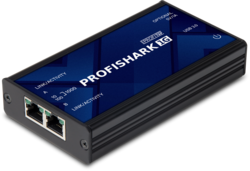
ProfiShark 1G
ProfiShark 1G is a portable aggregation TAP, providing full traffic capture of Gigabit Ethernet networks to USB 3.0.
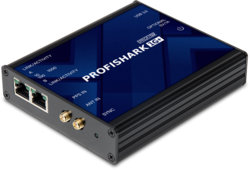
ProfiShark 1G+
ProfiShark 1G+ combines the power of ProfiShark 1G with GPS and PPS, for advanced timestamping functionalities.
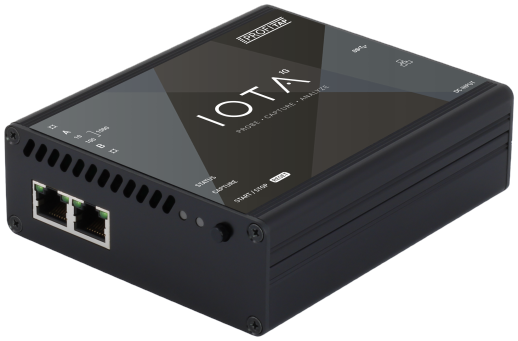
IOTA 1G
IOTA 1G is a multifunctional passive network probe with integrated traffic capture and analysis capabilities.